 Level2StockQuotes.com
For Day Traders and Investors..
Level II Stock Quotes
US Day Traders and Investors..
Live Stock Charts
Live Stock Charts for Indicators..
TSX Stock Quotes
CA TSX Traders and Investors..
Level2StockQuotes.com - Browser Help Section and Information...
More info about Level 2 Stock Quotes, Live Stock Charts, Apps and your browser...
Level II Stock Quotes - For NASDAQ, NYSE and AMEX stocks. Level II Stock Quotes also features live real-time stock charts, watch list, most active stocks and stock market news - Live Bloomberg Tv.
Note: Some features require the latest browser versions of Firefox, Chrome, EDGE works good and MSIE 9, 10, 11 is not really supported any more. For NASDAQ, NYSE, AMEX and OTCBB stocks. Level II Stock Quotes also features live stock charts, most active stocks and stock market news.
Level 2 Stock Quotes - Features free level 2 stock quotes, live stock charts, most active stocks, stock market watch list and stock market news for NASDAQ, NYSE, AMEX stocks. Market hours are from 4am to 8pm EST.
Real-Time Stock Quotes - Features live stock quotes, stock market watch list, news, stock market watch list and live candlestick stock charts for NASDAQ, NYSE, AMEX and OTCBB stocks. You can watch the open and close of the stock trade and compare to the previous trade to give you a better view of the stock price and direction it is going.
TSX Stock Quotes - Features Free real-time US - Canadian stock quotes and charts for TSX and TSX Venture Stocks are live during regular trading hours from 9:30 am to 4:00 pm Eastern Time.
 Note: Most of the apps feature easy to use buttons and are self explanatory, just simply enter your stock symbol and click the GO! button or in some instances click enter on the keyboard. Several of the apps can handle more than one stock symbol at a time - this gives you a better view of other stocks you are watching - the watch list. Also down near the stock market ticker or Bloomberg Live tv - you will see a watch list button, click on Watch List to bring up an additional stock market watch list.
 How to use Level II Quotes for Day Trading - Features Day-Trading Tips - A Day-Trading Formula that works with any Stock, Day trading tips for using Level 2 Quotes from your broker, this gives you an advantage, track the Market Makers and brokerage firms, track the big picture, track the buy and sell orders, and the total stock shares traded by the market maker or specialist.
What are Level I, II and III Stock Quotes - Thousands of stock transactions take place everyday, not only in the United States but also all over the world. When a stock is bought and sold, it has two kinds of prices, a bid price and an ask price. The bid price is what someone is willing to pay for the stock. Each of these prices is called a quote.
How to use Level II Quotes for Day Trading - Features Day-Trading Tips - A Day-Trading Formula that works with any Stock, Day trading tips for using Level 2 Quotes from your broker, this gives you an advantage, track the Market Makers and brokerage firms, track the big picture, track the buy and sell orders, and the total stock shares traded by the market maker or specialist.
What are Level I, II and III Stock Quotes - Thousands of stock transactions take place everyday, not only in the United States but also all over the world. When a stock is bought and sold, it has two kinds of prices, a bid price and an ask price. The bid price is what someone is willing to pay for the stock. Each of these prices is called a quote.
 Firefox Clear your history Automatically:
1. Click the menu button and choose Preferences.
2. Select the Privacy and Security panel and go to the History section.
3. In the drop-down menu next to Firefox will, choose Use custom settings for history.
4. Check the box for Clear history when Firefox closes.
Firefox Clear Cookies:
1. From the History menu, select Clear Recent History. ...
2. From the Time range to clear: drop-down menu, select the desired range; to clear your entire cache, select Everything.
3. Next to "Details", click the down arrow to choose which elements of the history to clear; to clear your entire cache, select all items.
Firefox - To Clear your Browser Cache:
1. Click on the View History button on the far right of address bar.
2. Click on History.
3. Click on Clear Recent History.
Thats it your all done.
 To clear the browser history (including cookies and cache) in Microsoft Edge, use the following steps...
1. Open the Settings Menu. In the top right hand corner you'll see three dots in a horizontal line.
2. To view your browsing history, select Favorites History.
3. Select Clear all history.
4. Choose the types of data you want to remove from your PC, then select Clear.
Note: If you use Cortana and want to clear browsing history that's stored in the cloud, select Change what Microsoft Edge knows about me in the cloud, then select Clear browsing history.
Browser Help and Info Continued...

Browser Help and Info Continued...
Browser Help and Info: Settings - About Bloomberg News:Note:
1. Bloomberg Tv is a live broadcast for stock market news information and data.
2. Bloomberg Tv should start to play automatically, if it does not refresh the page.
3. Bloomberg Tv to view full screen, simply left click on the box icon on the far right to enlarge, click again to shrink.
4. Bloomberg Tv to lower or turn off sound, simply left click on the speaker icon on the left of the screen.
5. Bloomberg Tv to pause the broadcast left click on the play arrow / pause icon.
Browser Help and Info: Google Chrome - Firefox - MSIE:
Clear your Browser Cache: You need to clear your browser cache Temporary Internet Files every so often so you are getting the most recent live stock quotes data and live updates. To do this follow the steps below.
Clearing Your Browser's Cache:
All those files stored in your cache take up space, so from time to time, you may want to clear out the files stored in your cache to free up some space on your computer. This is called clearing the cache.
 Google Chrome..
Clear your history:
1. On your computer, open Chrome.
2. At the top right, click More.
3. Click History History.
4. On the left, click Clear browsing data....
5. From the drop-down menu, select how much history you want to delete....
6. Check the boxes for the info you want Chrome to clear, including “browsing history."...
7. Click Clear data.
In Chrome:
1. On your computer, open Chrome.
2. At the top right, click More.
3. Click More tools Clear browsing data.
4. At the top, choose a time range. To delete everything, select All time.
5. Next to "Cookies and other site data" and "Cached images and files," check the boxes.
6. Click Clear data.
Google Chrome - To Clear your Browser Cache: Alternative Steps 1...
Note: Copy and paste (chrome://settings/clearBrowserData) without brackets into chrome address bar and click enter on your keyboard, scroll down and click on (CLEAR BROWSING DATA).
Thats it your all done.
Alternative Steps 2 for Chrome below with the same results as above:
1. Go to Chrome Settings on the far right of address bar, click on the three vertical dots. (...)
2. Go to More Tools and click on Clear Browsing Data.
3. Scroll down and click on (CLEAR BROWSING DATA).
Thats it your all done.
 Internet Explorer - To Clear your Browser Cache:
1. On the Internet Explorer 6-11 Tools menu, click Internet Options. The Internet Options box should open to the General tab.
2. On the General tab, in the Temporary Internet Files section, click the Delete Files button. This will delete all the files that are currently stored in your cache.
Microsoft Internet Explorer MSIE 8 and up: Change the Internet Privacy Settings, for better performance and prevent common page Errors..
1. Open MSIE 8 Browser.
2. Click on Tools.
3. Click on Internet Options.
4. Click on privacy.
5. Change to the Low, Medium or Medium-High setting for Internet zone.
6. Click Okay.
 CCleaner: It's what I use everyday to clear all Firefox, Google Chrome, MSIE, Opera and Safari temporary Internet files etc. Works Great..
CCleaner is a freeware system optimization, privacy and cleaning tool. It removes unused files from your system - allowing Windows to run faster and freeing up valuable hard disk space. It also cleans traces of your online activities such as your Internet history. Additionally it contains a fully featured registry cleaner.
Download CCleaner at Cnet: http://download.cnet.com/ccleaner/
About Firewalls and Norton Security: Make sure your not behind a firewall and turn off you Norton Security this helps speed things up quite a bit.
More Stock Market Info:See Our Popular-Links Section...
Level II Stock Quotes
For NASDAQ, NYSE and AMEX stocks. Level II Stock Quotes also features live stock charts, most active stocks and stock market news. For level II quotes click on LII-Book button.
Features free level 2 stock quotes, live stock charts, most active stocks, stock market watch list and stock market news for NASDAQ, NYSE, AMEX stocks. Market hours 4:00 am to 8:00 pm.
Features live stock quotes, stock market watch list, news and live candlestick stock charts for NASDAQ, NYSE, AMEX and OTCBB stocks. You can see what a stock is doing, watch the open and close of the stock trade and compare to the previous trade to give you a better view.
Features real time NASDAQ, NYSE and AMEX, hot Penny stocks that are trading up in today's session and are below $5 dollars with volume coming in moving the stock market price higher. Volume is also an indicator of a stocks momentum and if you get in early, the earnings potential is at it's greatest, just make sure your on the right side of the trade and don't fight against the overall market trend.
Thousands of stock transactions take place everyday, not only in the United States but also all over the world. When a stock is bought and sold, it has two kinds of prices, a bid price and an ask price. The bid price is what someone is willing to pay for the stock.
CA TSX Stock Quotes
Features Free real-time stock quotes - Canadian stock quotes and charts for TSX and TSX Venture Stocks, regular trading hours from 9:30 am to 4:00 pm Eastern Time. Real-Time Stock Quotes.
Features Day-Trading Tips - A Day-Trading Formula that works with any Stock, Day trading tips for using Level 2 Quotes from your broker, this gives you an advantage.
Features a market makers list and brokerage firms, track the big picture, track the buy and sell orders, and the total stock shares traded by the market maker or specialist. For the top online stock brokers see our Online Stock Trading Broker List.
Features Stock Quotes Research, lookup stocks, earnings reports, historical charts, upgrades or downgrades and Insider Trends Buy Hold or Sell indicators. You can also research a stocks trading price current high and low for the day, check stock trading volume yield and change. Lookup stock earnings insider trading information stock announcements, upgrades or downgrades and stock holdings information change in stock ownership.
The futures trading markets are a meeting place for buyers and sellers of many different commodities futures like financial futures, oil futures, gold futures, silver futures, copper futures and many more.
Level II Stock Charts
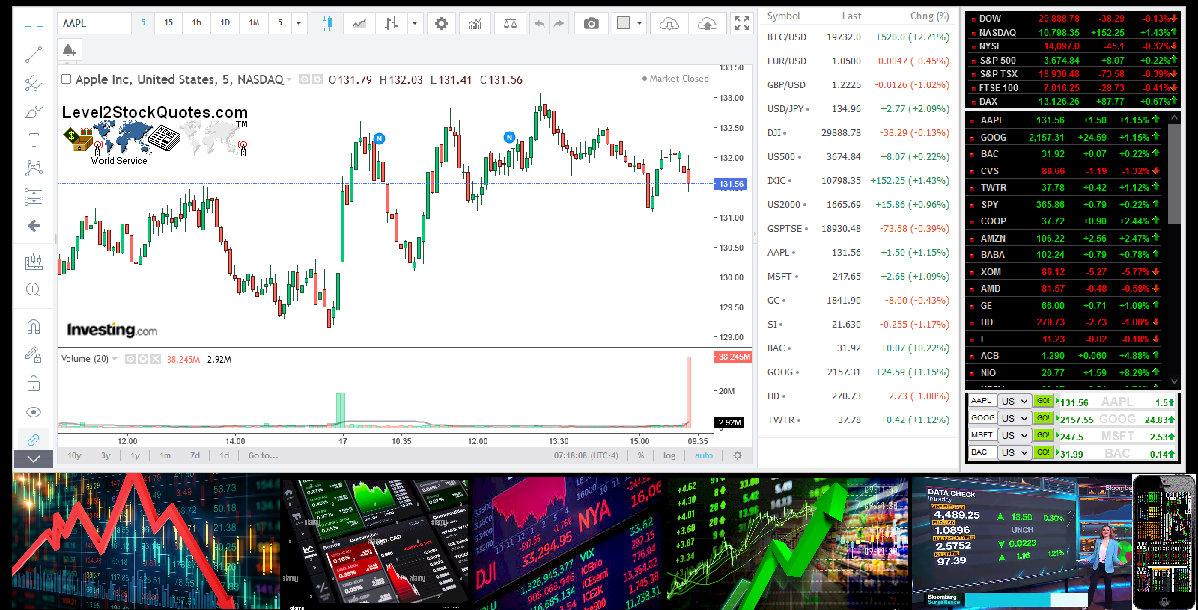
Features live up to the minute stock market charts and stock quotes. Also features live headline news for your stocks and the stock watch-list to keep track of your stocks.
Features live candlestick stock charts, stock chart - Volume, Strength, MACD and Divergence. Pre-market and after market charts. Plus technical analysis for day traders to spot trends.
Features Stock Trading Tips for day traders or investors, Real Stock Trading Tips and advise you can use in today's stock market. The Asian and European markets can be used as a possible guide to get an idea of which direction the US market is likely to go in.
Forex Trading Currency Pairs, Free Quotes and Charts - Forex Trading Currencies features candlestick charts and quotes for XAU/USD - GOLD Dollar Rates, XAG/USD - SILVER Dollar Rates or EUR/USD - Euro Fx / U.S. Dollar, Canadian Dollar and many more currency pairs. Watch for trends spot entry and exit points, view current bid and ask prices.
The trading floor of the futures exchange, with all the shouting and signaling to buy or sell Futures Commodities does give the direct impression of chaos.
Floor Traders - Trader Article for Investors.
Futures Hedging - Hedgers Article the Benefits.
Futures Contract - Futures type of Contract.
Futures Commodities - Futures Commodities
Stock Market Trading Books for Beginners and Professionals:
Most Recent Updates
Clear your Browser Cache
Market Data
Market Data Information
© 2008-2023 Level2StockQuotes.com, Max Handy Gadgets All Rights Reserved.
Copyright and Disclaimer - Privacy Policy
Copyright and Disclaimer - Privacy Policy